Handy Help Now
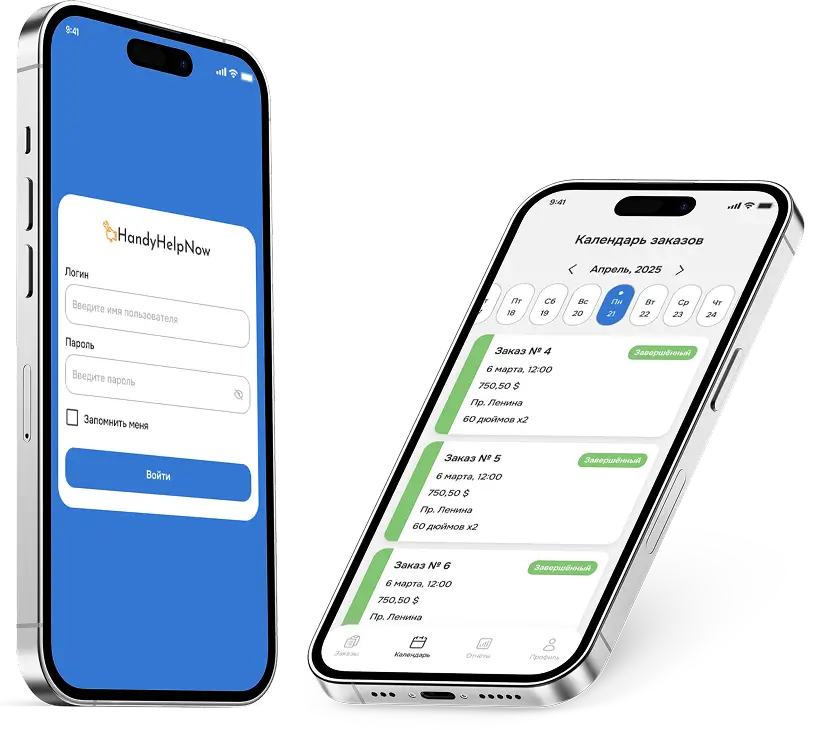
Основная задача проекта — создание инструмента удалённого контроля для топ-менеджмента Handy Help Now, позволяющего в реальном времени отслеживать ключевые операционные и финансовые показатели компании. Цель — обеспечить прозрачность работы на всех уровнях: от создания профиля мастеров и статусов заявок до эффективности менеджеров и команд. Для этого мы совместно с заказчиком определили набор метрик, необходимых для анализа текущей ситуации и раннего выявления проблем.
Результатом станет ERP-система с чётким разграничением ролей, синхронизацией по времени и поддержкой мобильного доступа для мастеров, позволяющая управлять заявками, персоналом, графиками и ресурсами в едином цифровом пространстве.
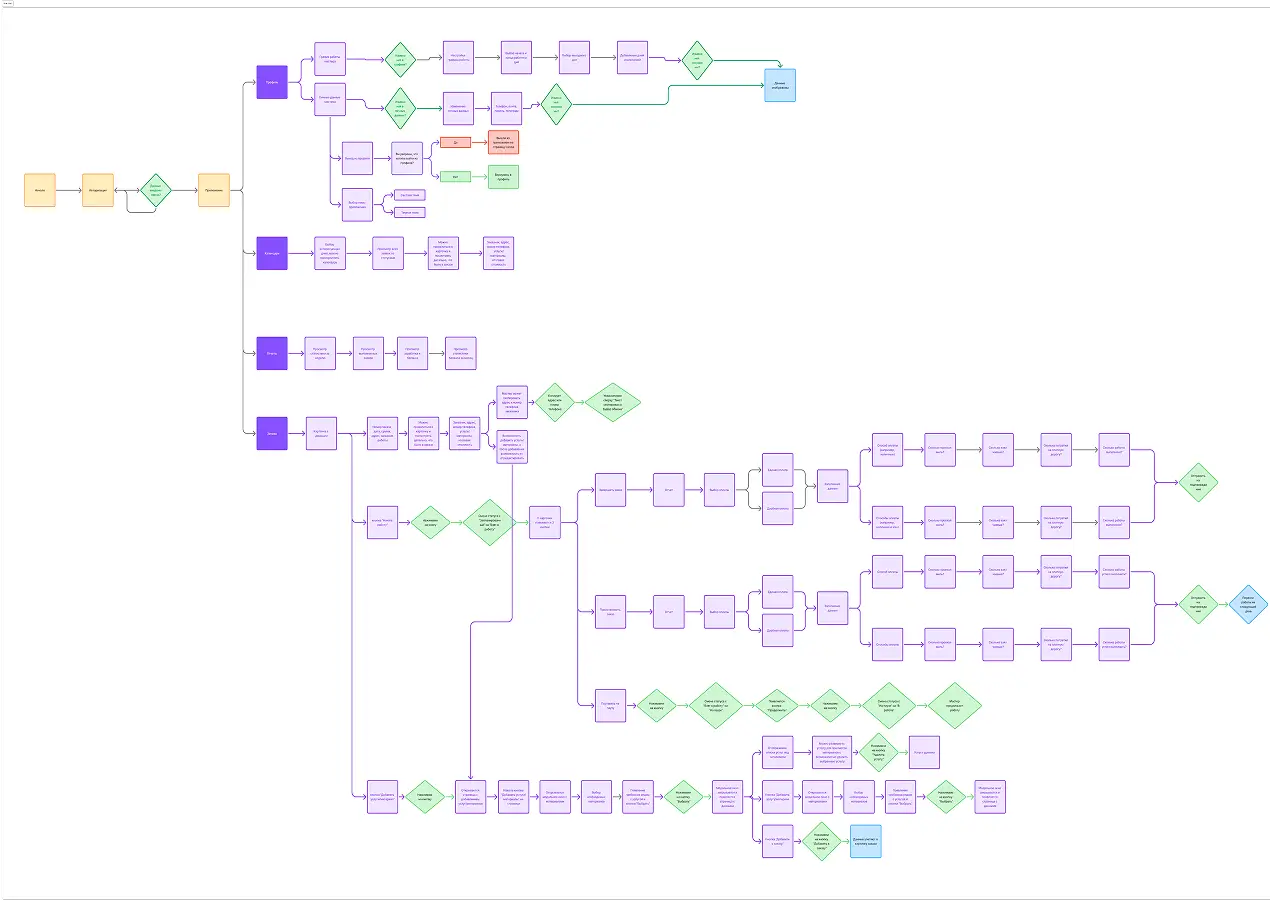
В рамках проекта мы разработали подробный user flow для PWA-приложения мастеров, охватывающий все ключевые сценарии: авторизацию, просмотр и управление заявками, редактирование профиля, работу с календарём, добавление услуг и материалов, а также завершение заказов.
User flow позволил выстроить логичную структуру взаимодействия, определить последовательность действий и оптимизировать переходы между экранами. Это обеспечило интуитивно понятную навигацию, ориентированную на реальные процессы работы мастеров, и стало основой для последующей вёрстки и реализации интерфейса.
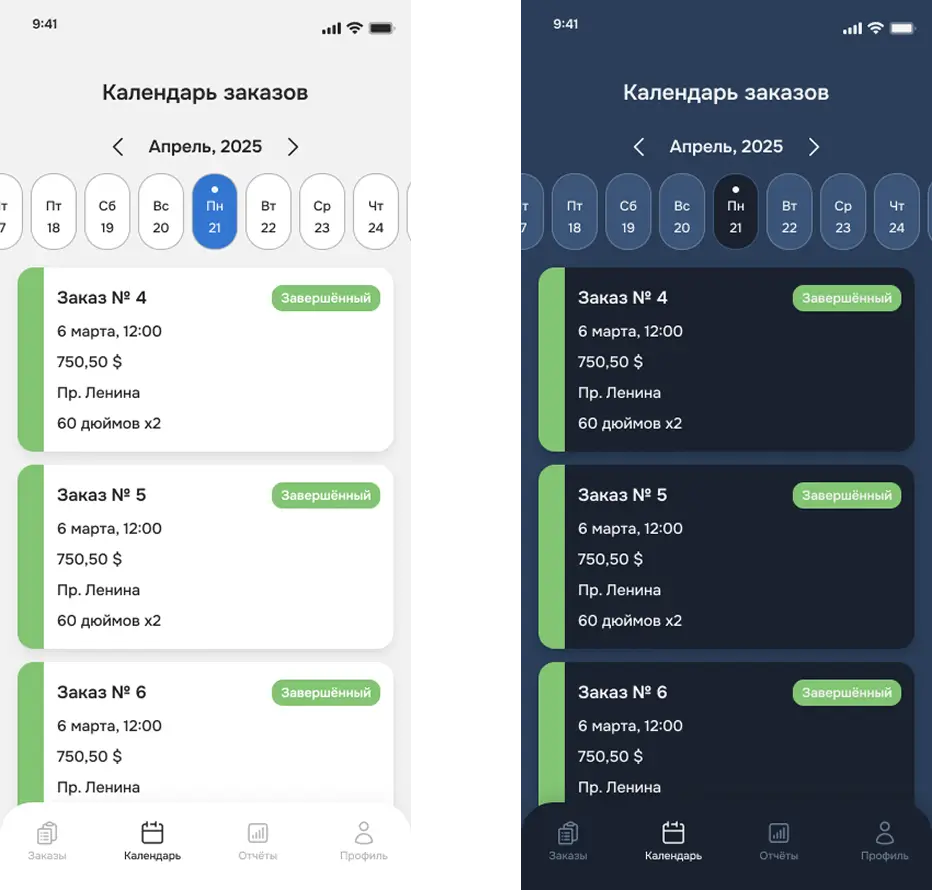
Дизайн проекта был полностью разработан нашей командой по запросу клиента. Основной акцент сделан на простоту, понятность и современный внешний вид, с учётом специфики мобильного использования (формат PWA) и повседневных сценариев работы мастеров.
Интерфейс охватывает все ключевые экраны: авторизацию, профиль, список заявок, календарь, статусы заказов, подтверждения и отчёты. Были реализованы как светлая, так и тёмная тема, обеспечивающие комфортную работу при разных условиях освещения.Макеты были согласованы с клиентом и легли в основу дальнейшей вёрстки. Благодаря этому интерфейс стал органичной частью всей ERP-системы и эффективно решает задачи пользователей.
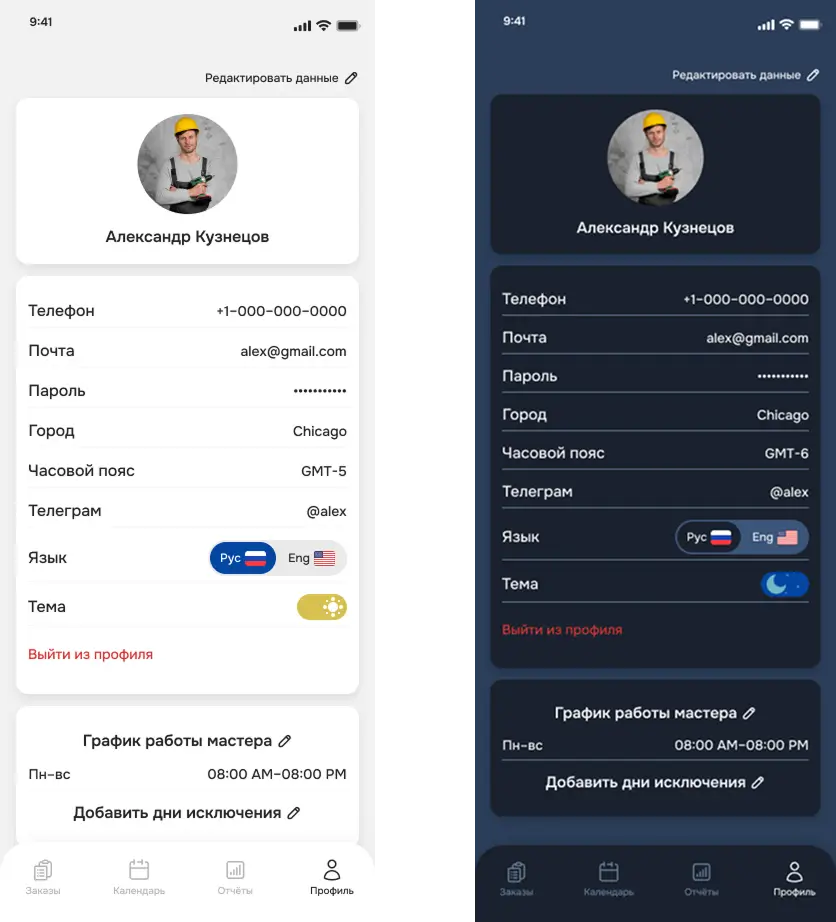
Экран «Профиль мастера» предоставляет доступ к личным настройкам и рабочему графику пользователя. Здесь можно:
- Переключать язык интерфейса (Рус / Eng) и тему оформления (светлая / тёмная).
- Настраивать график работы по дням недели.
- Добавлять дни исключения — индивидуальные настройки рабочего времени на конкретные даты.
- Редактировать контактные данные, пароль и другие параметры профиля.
- Выполнить выход из профиля с подтверждением действия.
Интерфейс экрана адаптирован для мобильного использования, обеспечивает понятную навигацию и быструю настройку графика без лишних переходов.
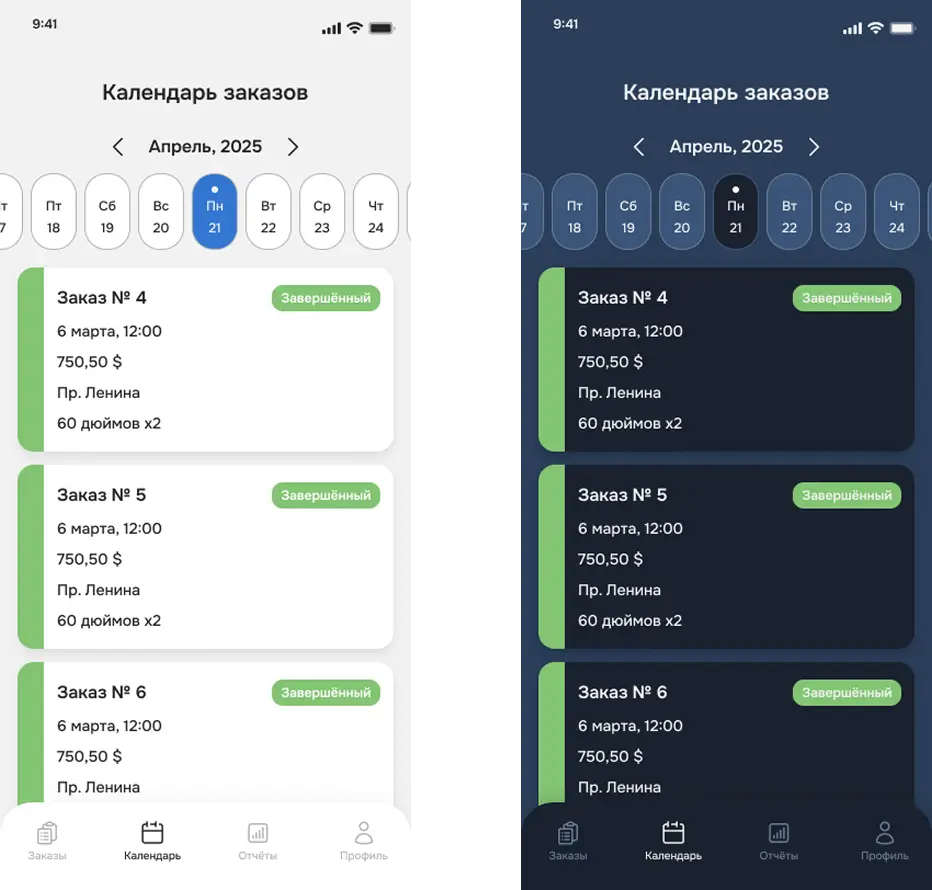
Экран предназначен для просмотра заявок мастера в формате календаря. В верхней части размещена горизонтальная дата-лента, позволяющая быстро переключаться между днями месяца.
Ниже отображается список заказов, назначенных на выбранную дату. Каждая карточка включает:
- номер заказа,
- дату и время выполнения,
- сумму,
- адрес,
- краткое описание услуг,
- статус (например, «Завершённый»).
Карточки визуально маркированы цветом и статусом, что облегчает навигацию и восприятие текущей нагрузки. Каждую карточку можно открыть для просмотра полной информации о заказе.
Интерфейс экрана упрощает планирование и контроль за выполненными и предстоящими заказами, предоставляя мастеру быстрый доступ к своему расписанию.
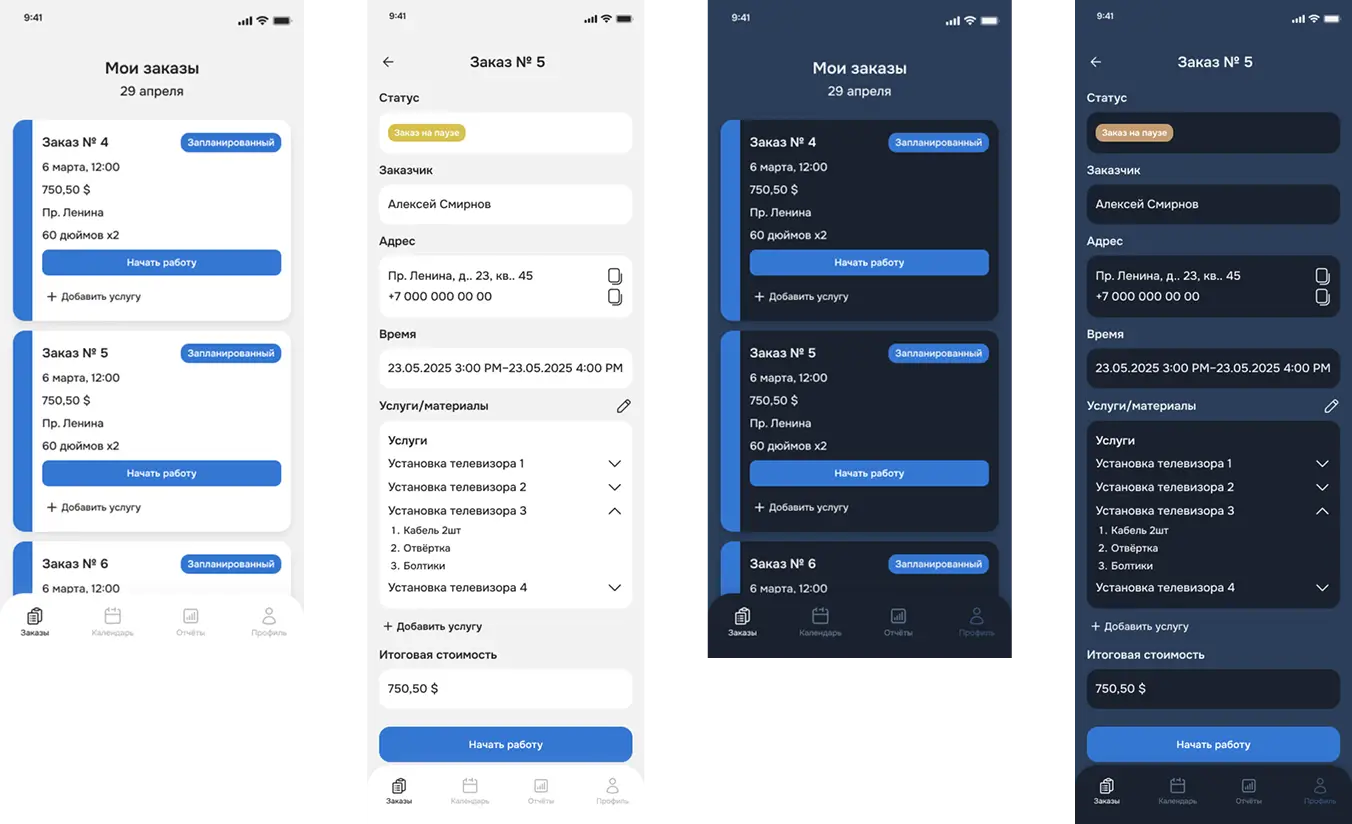
Экран «Мои заказы» отображает все заявки, назначенные мастеру, с возможностью отслеживать их статусы и взаимодействовать с каждым заказом. Карточки заказов включают ключевую информацию: дату, время, адрес, стоимость, краткое описание и текущий статус (запланирован, в работе, на паузе, требует изменений, завершён и др.).
В зависимости от статуса, мастеру доступны действия:
- начать работу,
- поставить на паузу,
- продолжить выполнение,
- завершить заказ,
- добавить услуги или материалы,
- изменить или заполнить отчёт.
При открытии карточки можно посмотреть полную информацию о заказе: контактные данные клиента, точный адрес, время выполнения, список услуг и использованных материалов, итоговую стоимость. Также доступны функции редактирования, копирования данных (например, адреса) и добавления дополнительных работ.
Экран обеспечивает мастеру полный контроль над текущими заявками, позволяет удобно управлять ходом выполнения заказов и вносить необходимые изменения в процессе работы.
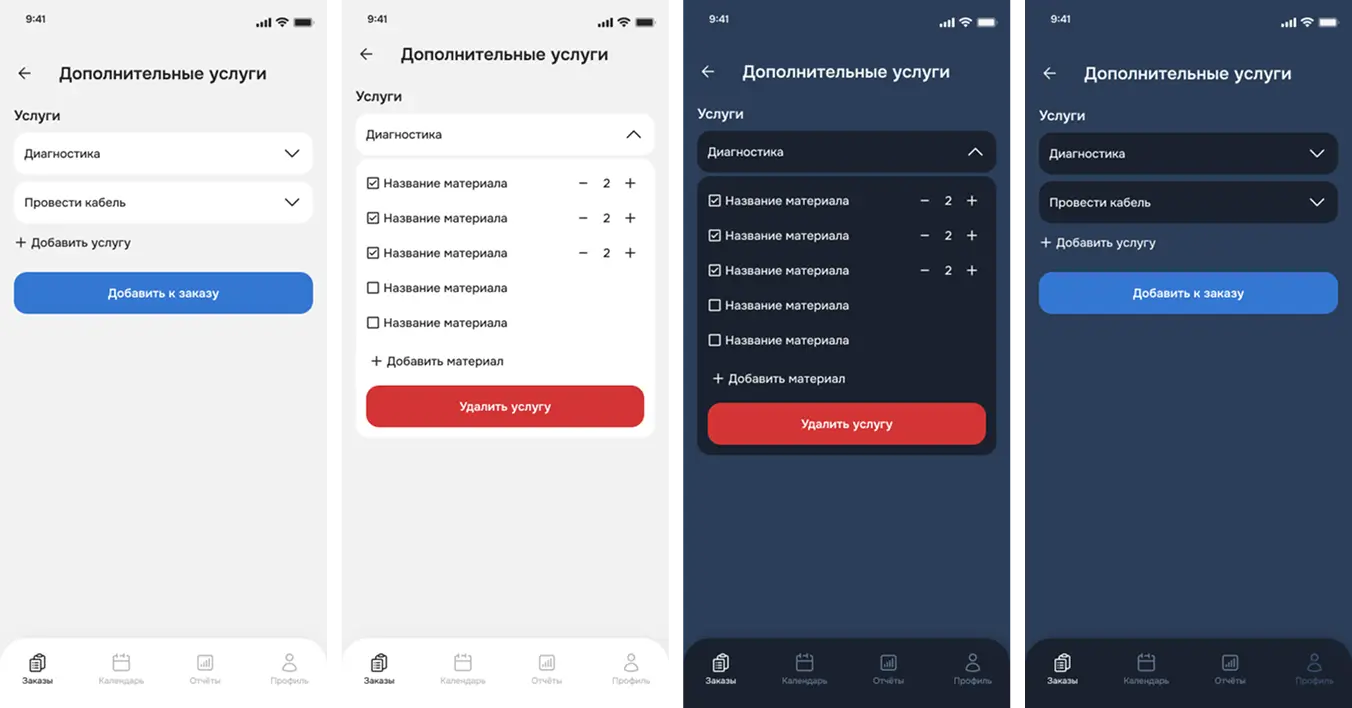
Экран предназначен для добавления новых услуг и материалов в текущий заказ.
Пользователь может открыть список доступных услуг, выбрать нужные позиции и добавить их к заказу одним действием.
После выбора услуги появляется возможность:
- редактировать список материалов, связанных с выбранной услугой,
- указывать количество каждого материала,
- добавлять или удалять материалы вручную.
Также доступна функция удаления всей услуги из заказа.
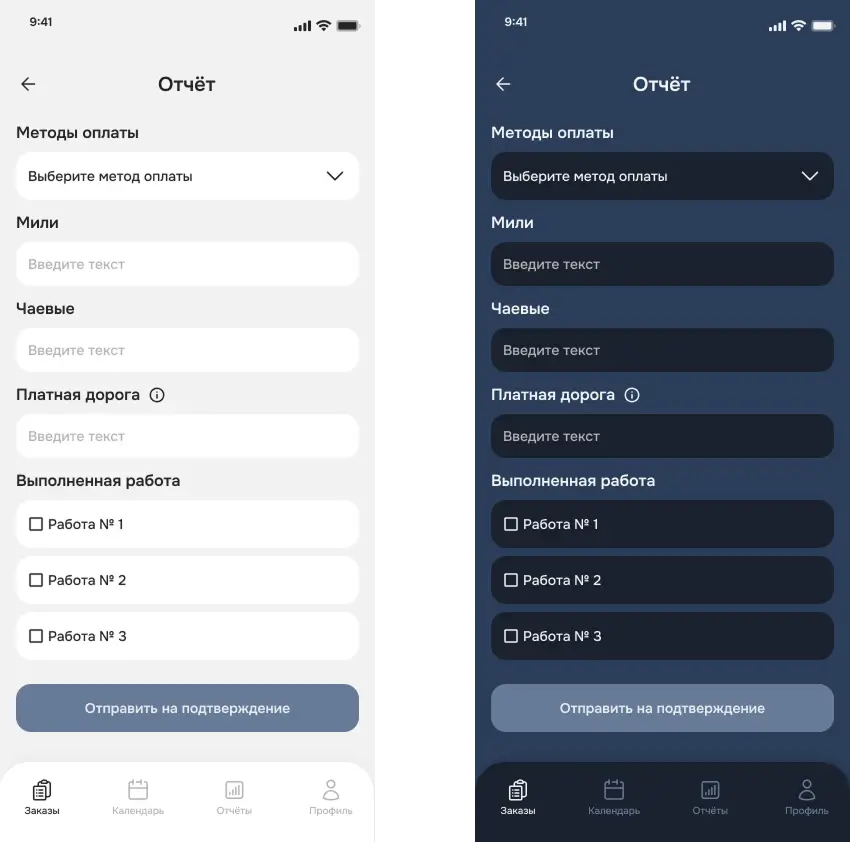
Экран предназначен для заполнения итоговой информации по выполненному заказу. Мастер указывает параметры, необходимые для завершения работы и последующего подтверждения со стороны тимлида:
- Метод оплаты — выбор между единой или дробной оплатой, с возможностью указания способа (наличные, карта и т.д.).
- Мили — количество пройденных миль до клиента.
- Чаевые — сумма, полученная дополнительно.
- Платная дорога — учёт затрат на проезд и парковку.
- Выполненные работы — чекбокс-лист с указанием, какие задачи из заказа были фактически завершены.
В случае дробной оплаты система позволяет указать несколько способов и сумм, разбивая оплату на части (например, часть наличными, часть картой).
После заполнения всех полей мастер нажимает «Отправить на подтверждение», после чего заявка уходит на проверку тимлиду.
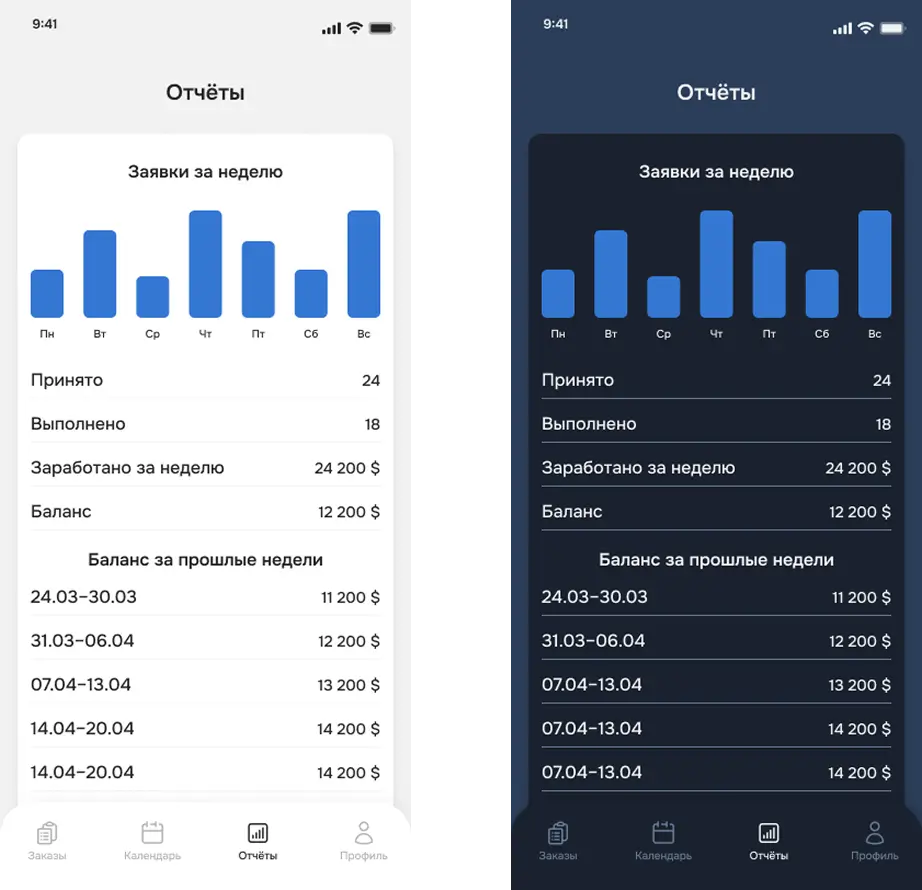
Экран предназначен для визуального отображения статистики работы мастера. В верхней части размещена диаграмма, отражающая количество заявок, принятых по дням недели.
Ниже представлены ключевые показатели за текущую неделю:
- Принято — общее количество заявок,
- Выполнено — число завершённых заказов,
- Заработано за неделю — суммарный доход,
- Баланс — расчётная сумма, причитающаяся мастеру.
Дополнительно отображается история баланса за предыдущие недели, сгруппированная по датам. Это позволяет мастеру отслеживать динамику своей активности и заработка за период.
Состав команды
Что включала в себя наша работа
На текущем этапе заказчик получил готовое решение и активно тестирует его в реальных рабочих процессах. Все основные функции реализованы в соответствии с задачами бизнеса, а интерфейс адаптирован под ежедневную работу конечных пользователей.
Проект был реализован в тесном взаимодействии с заказчиком, благодаря чему удалось быстро принимать решения и поддерживать общий вектор. Работа велась в конструктивной и доверительной атмосфере, и мы рады сложившемуся сотрудничеству.